
Credit Accounts, Customer Statements and Open Item Accounts Receivable
MicroBiz Cloud allows you to set up and manage customer credit accounts, giving retailers the flexibility to let customers bill purchases directly to their own account instead of paying at the time of sale. Accounts receivable options include abiilty to manage AR as balance forward, tracking an overall account balance - or manage AR as open item, allocating customer payments to specific invoices with balances due.
Ways our customer credit account features can improve your business
Extend credit to customers
Allow customers to bill purchases to the credit accounts
Track credit account activity
View aggregated credit account activity by authorized user and by transaction
Send monthly statements
Generate accounts receivable statements, post payments, and adjust balances
Apply payments to specific invoices
With Open Item AR you can apply customer payments to specific open invoices
Credit Accounts and Accounts Receivable Management
MicroBiz Cloud allows you to offer and manage customer credit accounts with the controls retailers need to extend credit confidently, without manually tracking limits and balances on the side.
Credit account management options include:
- Define authorized users on each credit account
- Set credit limits and payment terms
- Track the current account balance and available credit
- View all charges to the account, payments on outstanding balances, and authorized user activity in one record
This flexibility allows staff to extend credit with clear guardrails in place — and pull up a complete picture of an account's activity, balance, and authorized users whenever they need it.
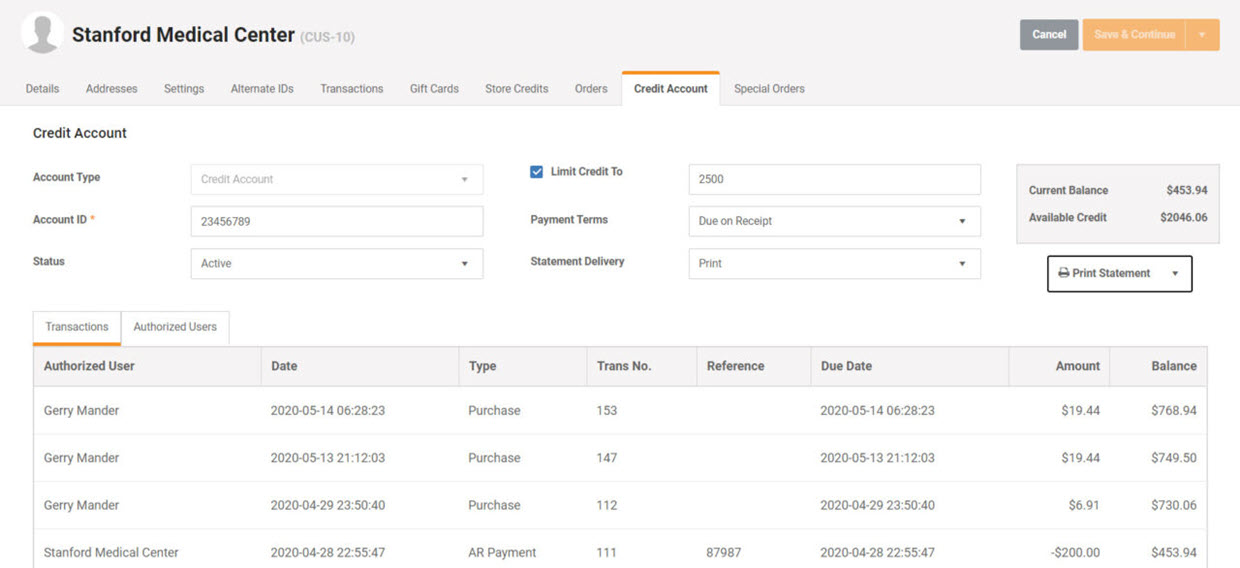
Account Credit Limits
MicroBiz Cloud allows you to set credit limits on each customer credit account, giving retailers built-in protection against overextending credit without having to track balances manually.
Credit limit options include:
- Set a credit limit for each individual credit account
- Automatically block transactions that would push the amount due over the credit limit
This flexibility allows staff to extend credit with confidence, knowing the system will catch any transaction that would put an account over its limit before it happens.
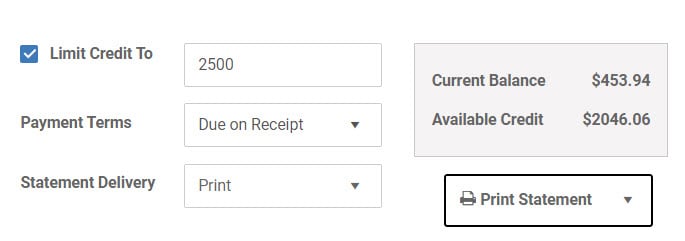
Charge to Credit Account from Front Register or Customer Orders
MicroBiz Cloud allows you to charge purchases directly to a customer's credit account right from the front register, giving retailers a fast, seamless way to handle house charge transactions without extra steps.
Front register credit account options include:
- Charge transactions to the credit account of an authorized user
- View current balance and remaining credit on the account right on the register screen
- Take payments on account from the front register using any available payment method
This flexibility allows staff to charge a sale to an account, check exactly how much credit remains, and collect payments on the balance — all without leaving the front register screen.
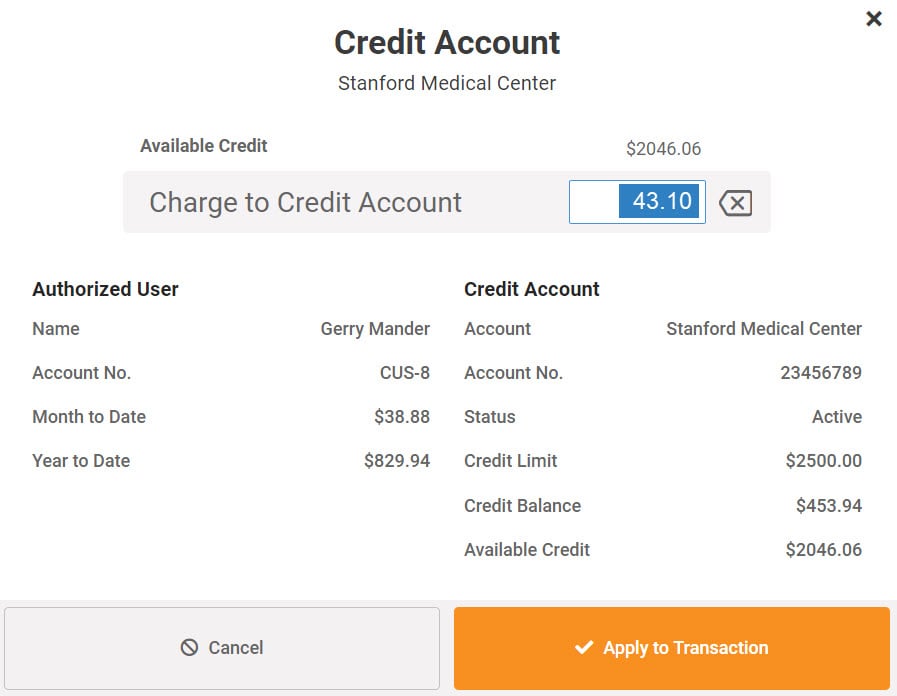
A/R Statements
MicroBiz Cloud allows you to quickly generate full page accounts receivable statements, giving retailers a professional, ready-to-send document for collecting on outstanding balances without manual calculations.
A/R statement options include:
- Print or email full page statements to customers
- Show charges and payments on the outstanding balance
- Choose to display individual items charged to the account, or just the transaction total
- Automatically calculate A/R aging buckets based on statement dates
This flexibility allows staff to generate accurate, easy-to-read statements in just a few clicks — with as much or as little transaction detail as you want, and aging already calculated for you.
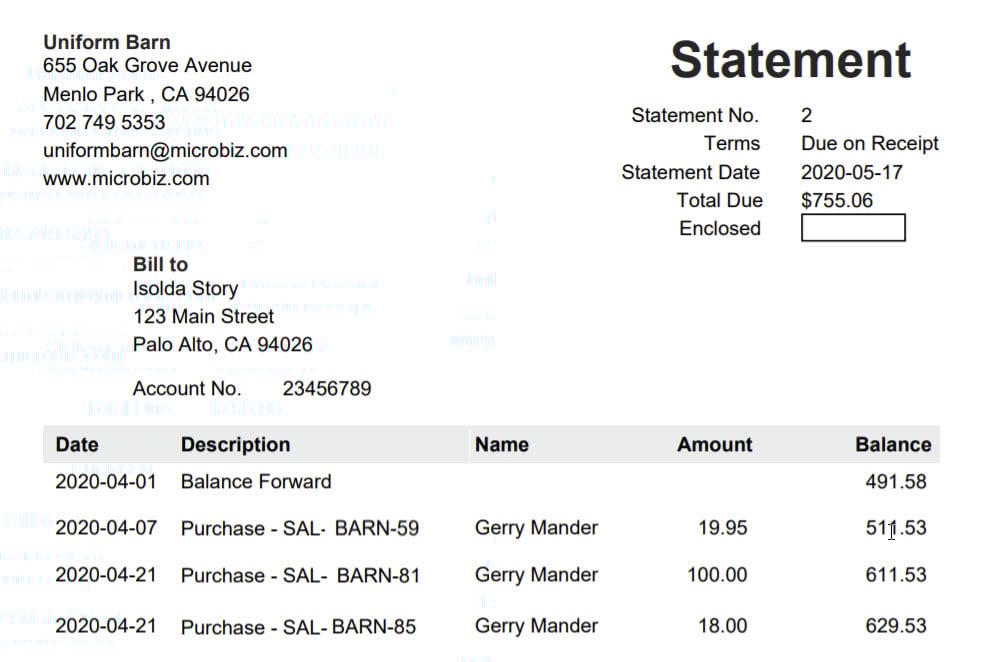
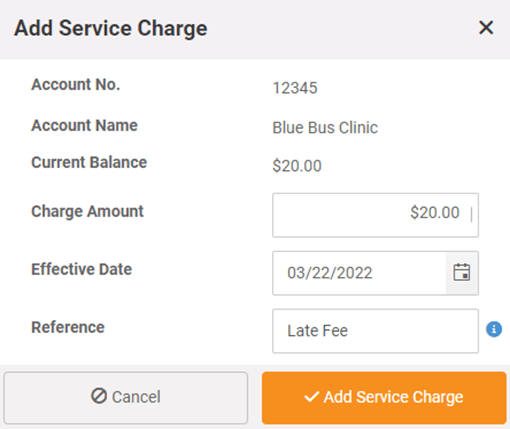
Add Service Charges and Issue Credits
MicroBiz Cloud allows you to add charges or issue credits directly on a customer's statement, giving retailers an easy way to manage late fees, adjustments, and corrections without a separate process.
Service charge and credit options include:
- Add service charges to a statement for late fees or other charges
- Calculate late fees as a percentage of the outstanding balance
- Issue credits for returns or to reverse fees
This flexibility allows staff to keep account balances accurate — whether that means adding a late fee, applying a percentage-based charge, or issuing a quick credit — all directly from the statement.
Open AR- Apply Payments to a Specific Invoice or Invoices
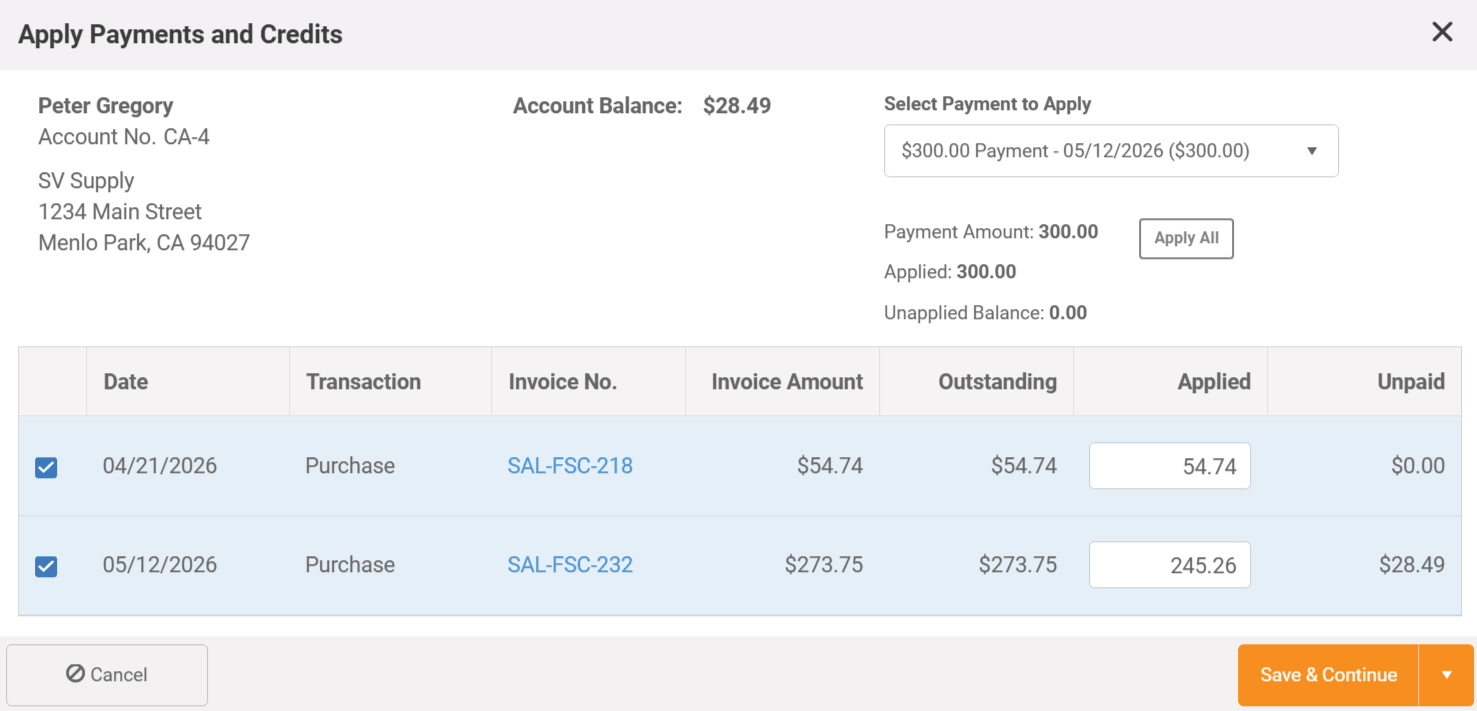
With Open Item AR, MicroBiz Cloud allows you to apply a customer's payment to any open invoice — or split it across multiple invoices — giving retailers precise control over exactly how payments are allocated.
Open Item AR payment options include:
- Apply a payment to a single open invoice or across multiple open invoices
- Apply payments in any order
- Apply partial payments
- Automatically mark invoices as paid once payments are fully applied
This flexibility is what sets Open Item AR apart from balance-forward accounting — staff can allocate payments exactly the way the customer wants, full or partial, in any order, across one invoice or several, with paid invoices updating automatically as payments come in.
Assign Authorized Users to Credit Accounts
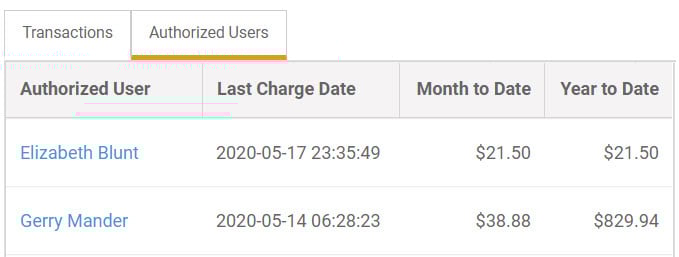
MicroBiz Cloud allows you to assign authorized users to a credit account, giving retailers visibility into exactly who's using the account and how.
Authorized user options include:
- Assign employees to a credit account as authorized users
- View each transaction made to the account by authorized users
- View monthly activity broken down by authorized user
This flexibility allows staff to keep credit account usage transparent and accountable — making it easy to see who charged what, and to review activity on a month-by-month basis.
Collect Signatures on Charge to Account Transactions
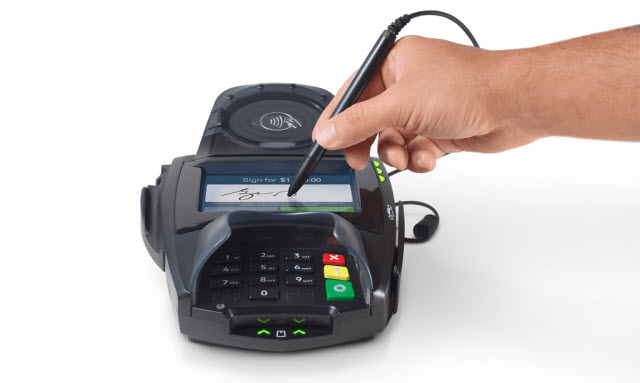
MicroBiz Cloud allows retailers to collect an electronic signature directly on the touch screen of an integrated payment terminal when processing charge-to-account transactions, providing verifiable proof that the customer received the items charged to their account.
Electronic signature capabilities in MicroBiz include:
- Collect a customer signature on the payment terminal touch screen at the time of a charge-to-account transaction
- Signature is captured and saved directly to the transaction record
- Signature is displayed on the invoice charged to the account for future reference
- Provides documented proof of pickup or receipt by the signer
This feature is particularly valuable for retailers managing house charge accounts for clients where proof of pickup or delivery may be needed to resolve billing disputes. Electronic signature capture requires integration with MicroBiz's payment partner BlockChyp.
Credit Account Reports
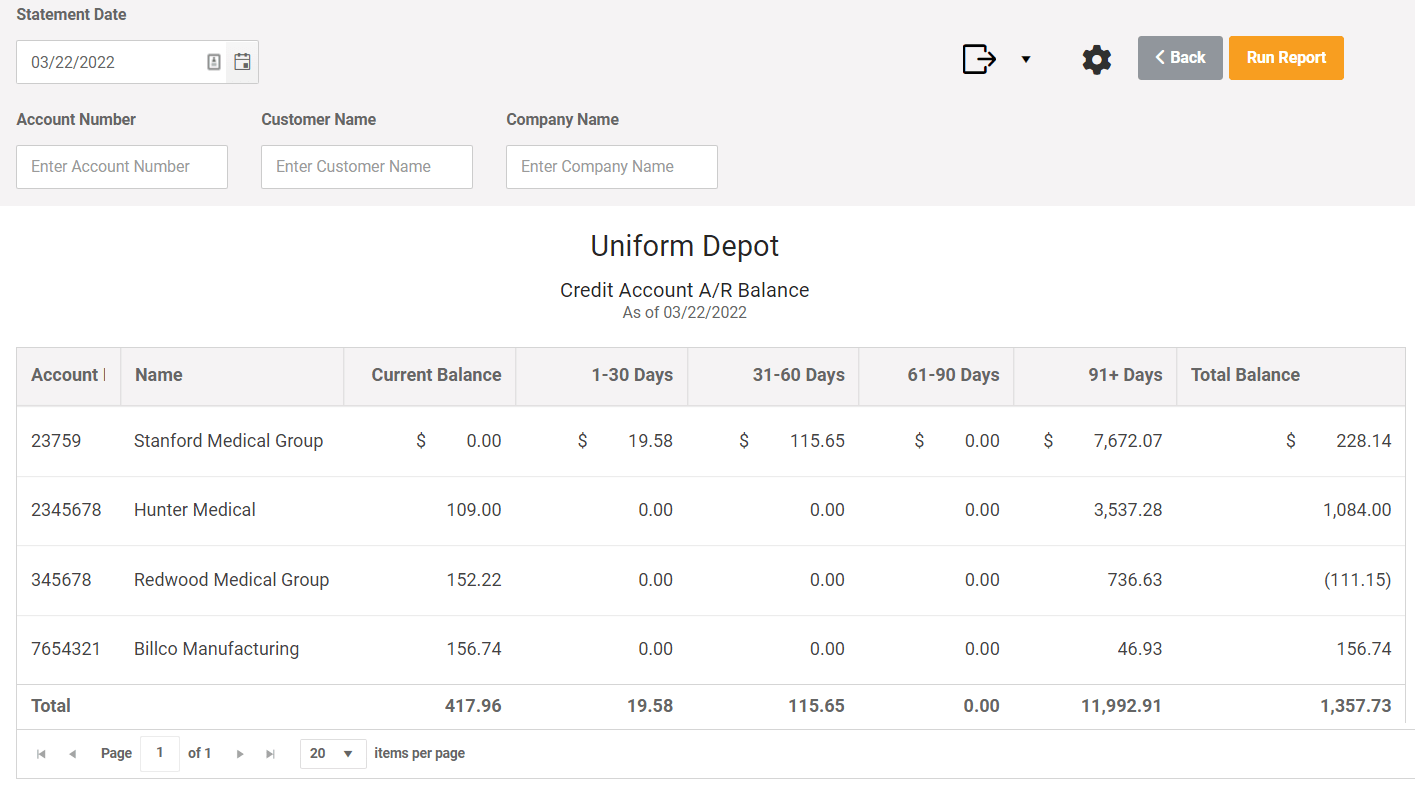
MicroBiz Cloud includes a set of built-in reports for monitoring credit account activity, giving retailers everything needed to track balances, transactions, and payments without building custom reports from scratch.
Credit account reporting options include:
- Credit Account A/R Balance — customer credit account A/R balances and aging
- Credit Account Transactions — transactions involving customer credit accounts
- AR Payments — enumerates AR payments on account
FAQs
Q. Are customer accounts only available in Cloud?
A. Customer credit accounts are available in both MicroBiz Cloud and MicroBiz for Windows.
Q. Does MicroBiz allow payments to be allocated to certain invoices?
A. Yes MicroBiz Cloud supports both open item AR and balance forward methodology. With open item AR, a payment can be allocated or applied to specific invoices.
Q. Does MicroBiz Cloud restrict transactions above the credit limit?
A. The credit limit is visible on the tender screen when charging to an account and the system limits the amount that can be charges to the remaining available amount of the credit limit. So the system prevents the credit limit to be exceeded.
Q. Can you set up late payments fees as a percentage of outstanding balance?
A. You can add dollar amount service charges and issue credits to a customer credit account, but MicroBiz does not automatically calculate late fees a percentage of the outstanding balance.
Want to learn more?
Sign up for a free trial store. No credit card required.
Schedule a one-on-one online demo with a sales rep.
Submit a question or request using a web form.
Or call our sales department at 702 749-5353 option 2