
Powerful Reporting & Analytics Built for Retailers
Running a retail store means making dozens of decisions every day — what to reorder, who's earning commissions, which categories are pulling their weight. MicroBiz Cloud's built-in reporting and analytics give you the real-time data to make those decisions with confidence instead of guessing. From a single dashboard snapshot to dozens of detailed, exportable reports, the numbers that matter are always right at your fingertips.
Ways our reporting and analytics features can improve your business
See your business at a glance
The management dashboard surfaces sales, cost, and profitability metrics the moment you log in
Make smarter decisions, faster
A wide range of pre-configured product, sales, and customer reports turns raw transaction data into decisions you can act on
Take your data anywhere
Export almost any report to CSV for deeper analysis in Excel, or to PDF for clean printing
Export report data to PDF and CSV files
Export most report data with one click into a CSV file or data analysis or a PDF file for better printing
Powerful Reporting & Analytics Built for Retailers
Running a retail store means making dozens of decisions every day — what to reorder, who's earning commissions, which categories are pulling their weight. MicroBiz Cloud's built-in reporting and analytics give you the real-time data to make those decisions with confidence instead of guessing. From a single dashboard snapshot to dozens of detailed, exportable reports, the numbers that matter are always right at your fingertips.
Reporting benefits include:
- See your business at a glance — the management dashboard surfaces sales, cost, and profitability metrics the moment you log in
- Make smarter decisions, faster — a wide range of pre-configured product, sales, and customer reports turns raw transaction data into decisions you can act on
- Find exactly what you need — sort any column with one click and use drop-down filters to drill into the data that matters most
- Take your data anywhere — export almost any report to CSV for deeper analysis in Excel, or to PDF for clean printing
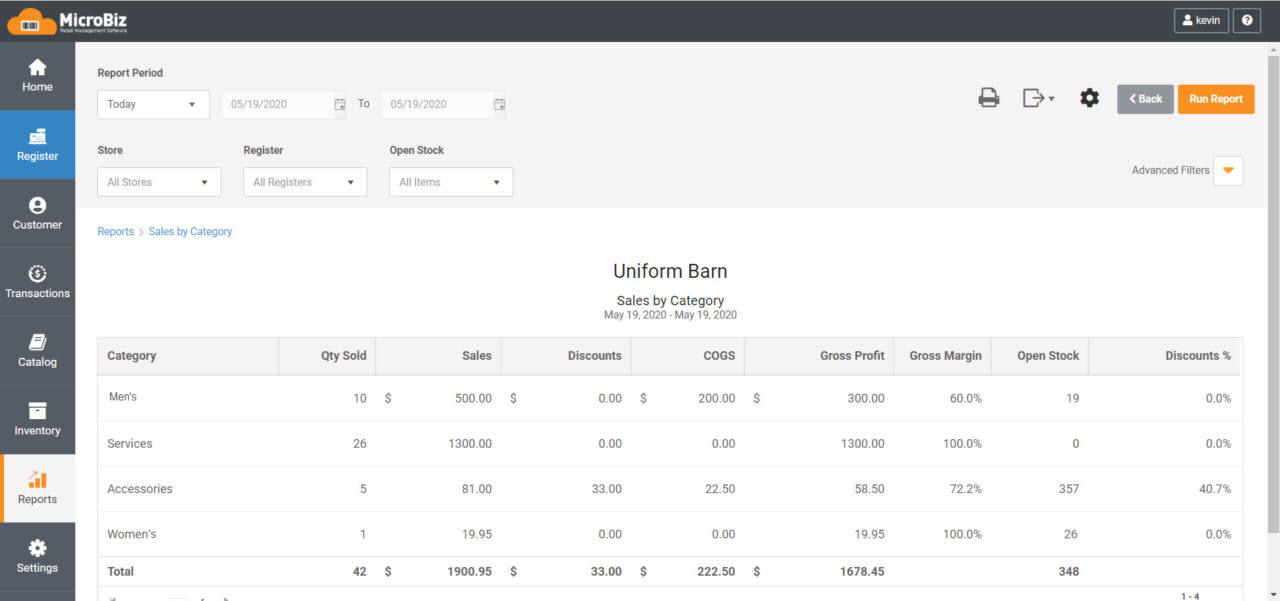
Reports for Every Part of Your Business
Rather than one generic sales report, MicroBiz includes dozens of pre-built reports organized around how retailers actually run their business. Every report can be filtered by store, date range, and more, so you're always looking at exactly the data you need.
Transaction Reports
- Sales by Transaction — Register transaction sales
- Sales by Transaction Line — Register line item transactions by product or SKU
- Transactions by Item — Items sold in register transactions
- Transactions on Account — Transactions involving credit accounts, deposits, gift cards and store credits
- Voided Transactions — Voided transactions including time/date, customer and employee
Register Reports
- Register Balance — Register activity including sales, payment totals, cashier activity
- Register Deposits — Calculation of deposit amount based on register batch close amounts
- Daily Snapshot — Snapshot of key store metrics
- Tip Report — Tips collected and paid out by employee
- Fill In/Restock — Fill in pick list for registers in kiosks or other remote locations
- Paid In/Out — Cash drawer activity report
- Payment Card Detail — Payment card detail
- Payment Check Detail — Payment check detail
Inventory Reports
- Inventory by Item — Current inventory by product or SKU
- Inventory by Category — Current inventory by category
- Inventory by Brand — Current inventory by brand
- Inventory by Vendor — Current inventory by vendor
- Inventory by Reorder Point — Items where current open stock is less than reorder level
- Inventory Adjustments — Transactions or adjustments that changed inventory levels
- Inventory History — Value of inventory for any prior month
- Serial Number History — Serialized inventory status and transaction history
Order Reports
- Items on Customer Orders — Items on open customer orders by product/SKU or customer
- Backorder Fulfillment Status — Backordered items on POs by SKU or ordering customer
- Committed Stock — Committed stock
Customer & Credit Account Reports
- Credit Account A/R Balance — Customer credit account A/R balances and aging
- Credit Account Transactions — Transactions involving customer credit accounts
- AR Payments — Enumerates AR payments on account
This gives you a report built for almost any question that comes up — whether you're checking an item's stock, reconciling a register, or reviewing a customer's account balance.
Filter, Sort, Drill Down and Export — All Built In
- Multi-store reporting — toggle any report between a single store, all stores, or any combination, so you can compare locations or see the full picture
- Customizable sorting and filtering — sort any column with one click, filter by store and date range, and search for exact or partial matches (find every "red jacket" sold last week, for example)
- Data drilldowns — click through from a report line item straight to the underlying product, customer, or transaction record without running a second report
- Configurable report formats — change which columns are displayed and fine-tune exactly what you see
- Export to CSV or PDF — pull data into Excel for deeper analysis, or export to PDF for clean printing
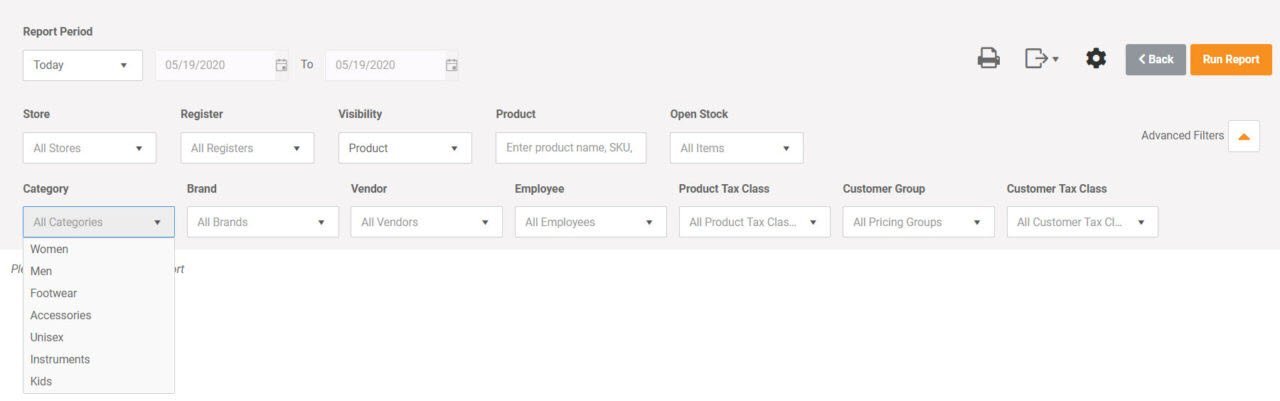
Configurable Report Formats
All reports include settings to quickly change the columns displayed. Columns can be sorted by clicking the table heading. Many column headings include supplemental search or filter widgets, allowing you to fine tune the data displayed.
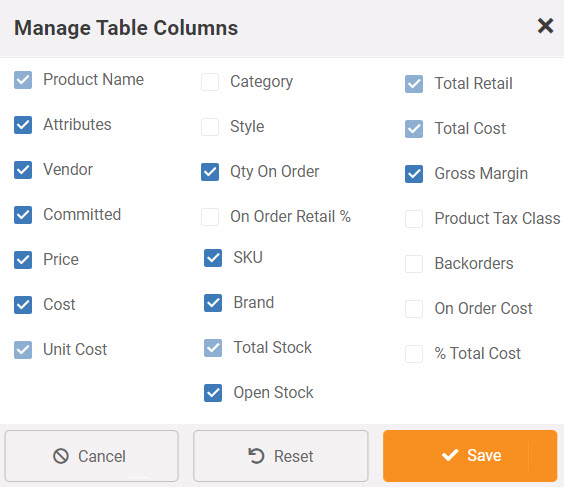
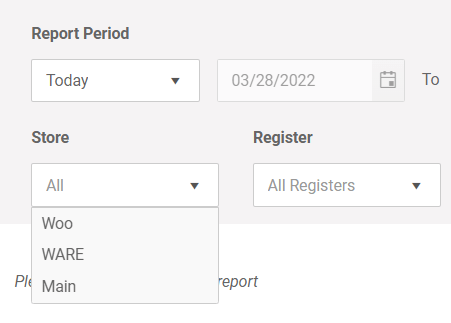
Multi-Store Reporting
All reports include toggle and filters, allowing you to view a single store, all stores or any combinations of stores. This flexibility gives you the data to make smart decisions.
FAQs
Q. Can I customize reports?
A. Reports in MicroBiz Cloud includes the ability to configure what columns appear in our pre-configured reports and a variety of filters to select what data appears on the report.
Q. What if I need a report not shown on your report menu?
A. Please contact MicroBiz sales. The current set of reports are very flexible and configurable. There may be a way to use optional columns of data and filters in an existing report to generate the data or analysis that you are seeking. We would also like to learn more about your needs in the event that we could modify an existing report or create a new report.
Q. Where else can I find the data that I am looking for?
A. Many summary grid tables can be exported as a CSV or PDF file. In addition, there is additional summary data that can be viewed on screen from the back end screens.
Want to learn more?
Sign up for a free trial store. No credit card required.
Schedule a one-on-one online demo with a sales rep.
Submit a question or request using a web form.
Or call our sales department at 702 749-5353 option 2