
Manage a Services & Repair Department with Our Work Order Software
Manage your in-store repair or service department with the work order software included in MicroBiz. You can check in a customer owned item, add parts and services, assign to an employee and collect a deposit with ease. There is also an optional service calandar to help with scheduling your work orders and deliveries.
Ways our service department and work order software can improve your business
Offer higher-margin services
Manage the sale and delivery of higher margin services such as repairs and customizations
Track service history on customer-owned items
Check in customer items (such as a appliance, ATV or uniform) and track service history on the items
Use Service Calendar to schedule deliveries and service jobs
Schedule deliveries and service jobs using the 'drag and drop' capabilities of our service calendar
Send invoices with payment links
You can send an invoice with a payment link, allowing a customer to pay online using a secure hosted payment page
Check-In Customer-Owned Service Items
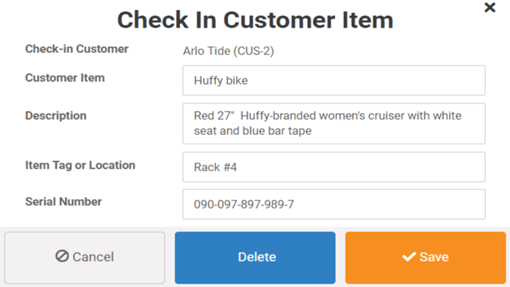
MicroBiz Cloud allows you to check in and track customer-owned items — such as equipment, appliances, or uniforms — that come in for repair or service, giving retailers a clear, organized record of every item without needing a separate tracking system.
Check-in options for customer-owned items include:
- Check in multiple items under a single customer order
- Enter a short and long description for each item
- Record an ID or serial number for precise tracking
- Designate a storage location for each item
This flexibility allows staff to track exactly what's come in, where it's stored, and who it belongs to — with every checked-in item automatically linked back to the customer's order record, from drop-off all the way through pickup.
Describe Work Request and Assign Completion Date
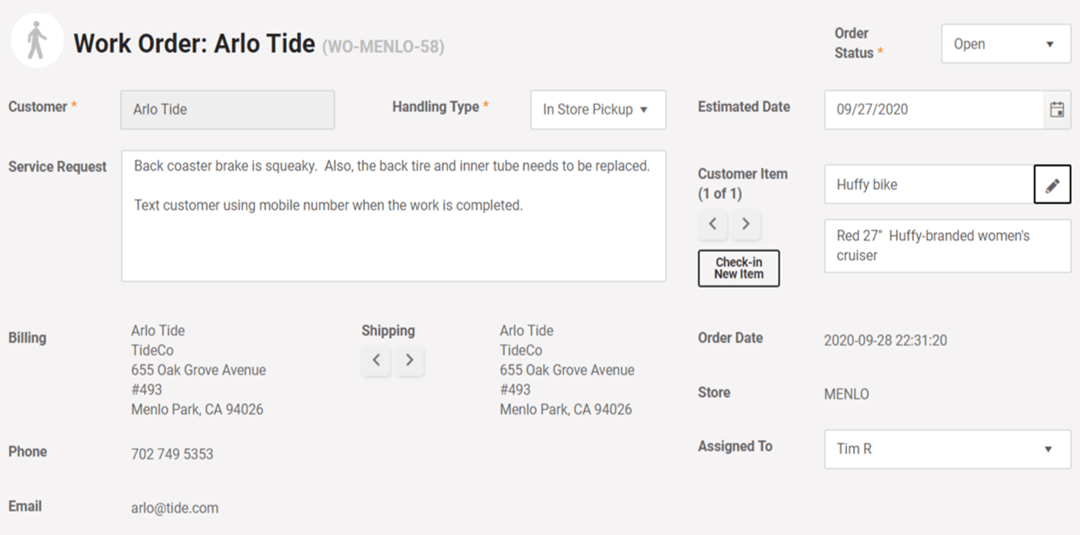
MicroBiz Cloud's work order software allows you to document exactly what work needs to be done and schedule it accordingly, giving retailers full control over service requests from intake through completion.
Work request options in MicroBiz include:
- Record a description of the work to be done
- Define a handling method for the item
- Print claim tags to attach to the item and/or hand to the customer
- Assign an employee to the work order
- Enter an estimated completion date for scheduling
This flexibility allows staff to clearly document the job, keep items properly tagged and tracked, and set realistic timelines — giving your team and customers visibility into exactly when the work will be done.
Add Items, Parts and Services
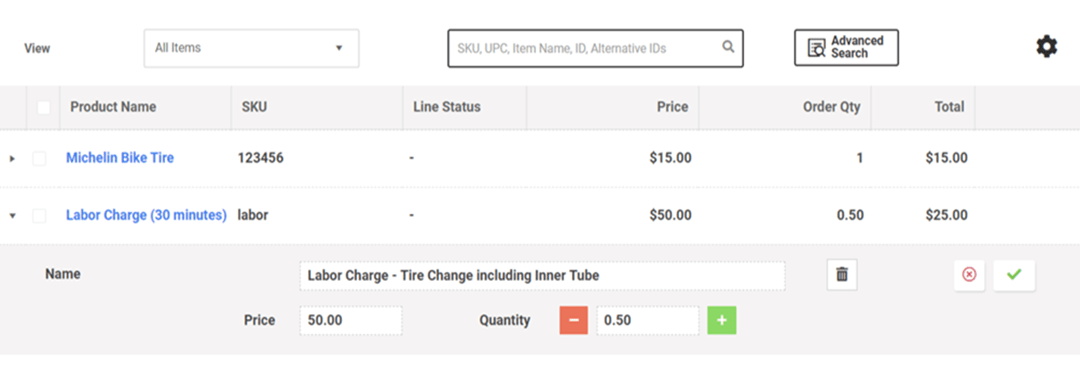
MicroBiz Cloud's work order software allows you to add parts, labor, and other charges directly to a work order, giving retailers a complete and accurate view of every cost associated with the job in one place.
Adding items and services to a work order includes:
- Search and filter to quickly find and add parts or items
- Add labor charges and other miscellaneous costs
- Discount individual items directly from the work order screen
- Check for backordered items using the action menu
This flexibility allows staff to build out a complete, accurate work order — parts, labor, and extras included — while staying on top of pricing adjustments and inventory availability without leaving the work order screen.
Add Notes and Track Order Status
MicroBiz Cloud's work order software lets you track exactly where each job stands and capture any additional details along the way, giving retailers full visibility into every order without relying on separate spreadsheets or sticky notes.
Status and note tracking options include:
- Track work order status (in progress, scheduled, complete, cancelled)
- Customize statuses to fit your workflow (such as awaiting approval or awaiting parts)
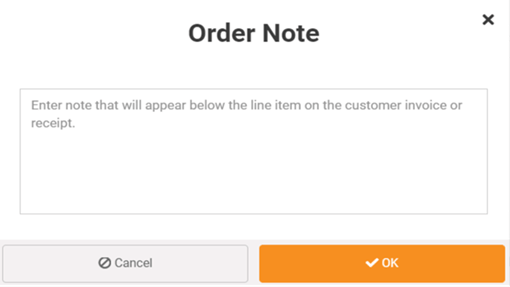
- Attach notes to capture additional details or customer requests
- Choose between an internal note or an external note printed on the receipt
This flexibility allows staff to keep every work order up to date and clearly documented — whether it's an internal note for your team or a printed note the customer sees — so nothing about the job's status or details gets lost along the way.
Create PO's for Special Order Items During Customer Order Processes
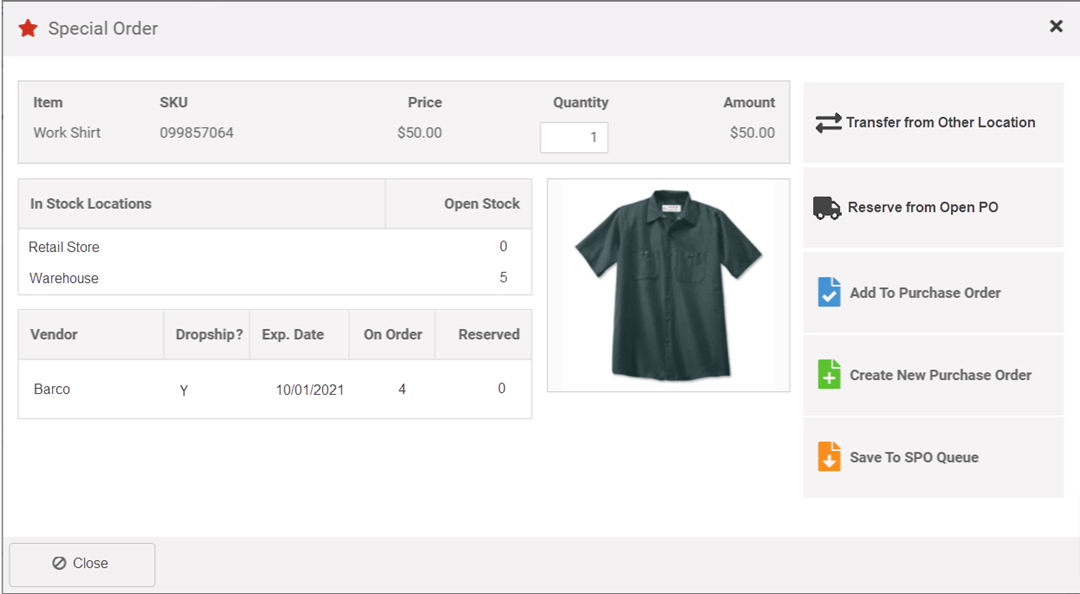
MicroBiz Cloud's work order software allows you to handle special order items right from the order-taking process, giving retailers a fast, flexible way to source items without stepping outside the order screen.
Special order options include:
- Create a vendor purchase order containing the special order item during order-taking
- Reserve a special order item already on an open vendor purchase order
- Check whether the special order item is in stock at other locations
- Mark the special order item for further review
This flexibility allows staff to source special order items on the spot — whether that means cutting a new PO, tapping into an existing one, checking other locations, or flagging it for follow-up — all without leaving the order they're working on.
Use Filters to View Orders by Employee or Status
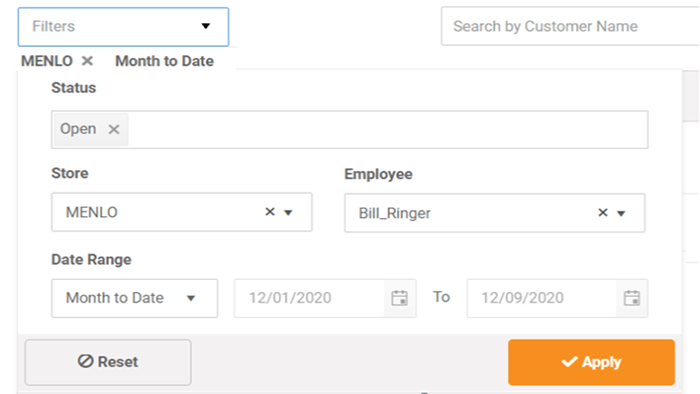
MicroBiz Cloud's work order software allows you to filter and sort orders so you can see exactly what's happening in your repair department at a glance, without digging through every open order one by one.
Filtering options include:
- View orders by status (Open, Ready, Draft, and more)
- View orders assigned to a specific employee or technician
This flexibility allows staff to quickly check workload, track progress, and stay organized — making it easier to manage your repair department and keep jobs moving on schedule.
Calendar-Based Service Task Scheduler
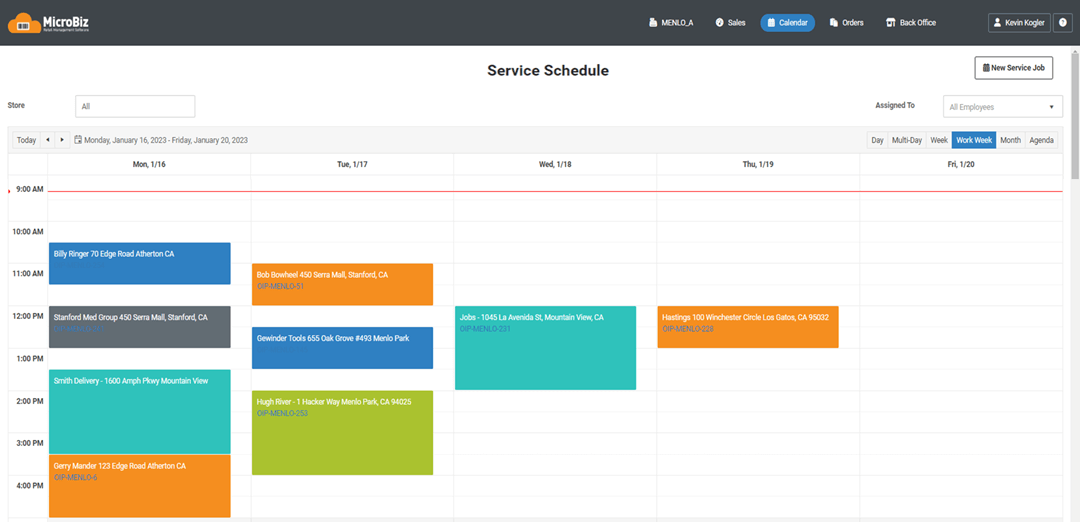
MicroBiz Cloud allows you to schedule tasks — such as deliveries, appointments, or repair slots — directly from the order record, giving retailers an easy way to plan and assign work without a separate scheduling tool.
Service task scheduling options include:
- Create a scheduled task (delivery, appointment, or repair slot) right from the order record
- Assign the task to a specific employee
- View the calendar in monthly, weekly, or daily formats
- Filter the calendar by assigned employee
- Switch to Agenda View to see tasks in a list format
This flexibility allows staff to schedule and assign work straight from the order they're already working on, then check the calendar in whatever view makes sense — from a full month at a glance to a simple list of what's on tap for the day.
Collect Deposits and Enforce Deposit Minimums
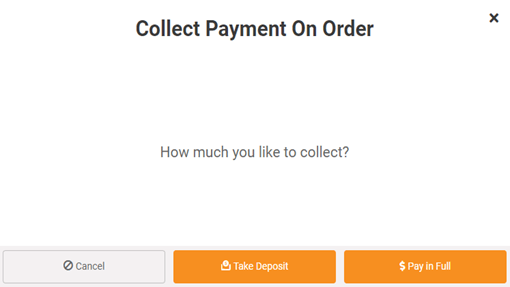
MicroBiz Cloud allows you to collect deposits on work orders and enforce deposit rules, giving retailers better cash flow control and protection on custom or special order work before the job is even finished.
Deposit and payment options include:
- Collect deposits using the same tender types used for register transactions
- Set minimum deposit rules for work orders through back-end management settings
- View balance due on work orders in progress
- Search for and reactivate a work order to update it or collect final payment
- View full payment history on the order with one click from the action menu
This flexibility allows staff to collect deposits up front, keep balances clearly visible while work is in progress, and quickly pull up any order to finish the job or check payment history — all without leaving the work order screen.
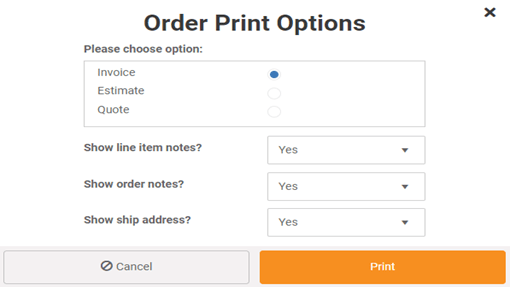
Print or Email Full Page Quotes, Estimates and Invoices
MicroBiz Cloud allows you to print or email full page quotes and invoices directly from a work order, giving retailers a professional, ready-to-share document for every stage of the job without extra formatting work.
Quote and invoice options for work orders include:
- Print or email full page quotes and invoices showing the customer, due dates, charges for items and services, and total due
- Print a work order summary on a standard width register receipt
This flexibility allows staff to give customers exactly the document they need — a polished full page invoice for email or printing, or a quick receipt-style summary at the register — all generated straight from the work order.
Service Item History
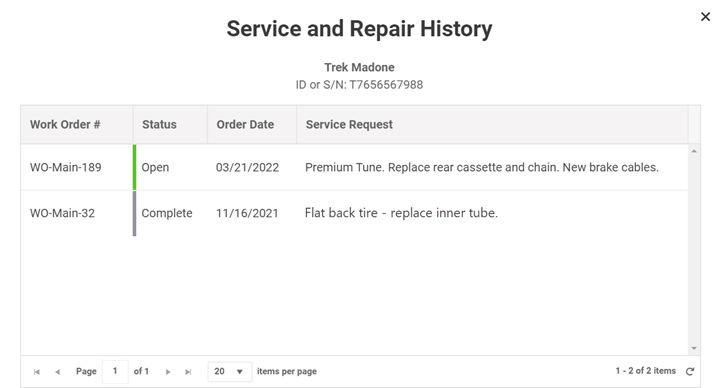
MicroBiz Cloud automatically tracks the service history of customer-owned items, giving retailers a complete record of past work without having to dig through old orders.
Service history options include:
- Track service history for each customer-owned item
- View multiple service items and their full service history directly from the Customer record
This flexibility allows staff to pull up a customer's record and instantly see everything that's been serviced in the past — making repeat repairs, warranty questions, and follow-up conversations faster and easier to handle.
FAQs
Q. What’s the difference between a Work Order and an Order in Progress?
A. The two types of orders are similar, but Work Orders include extra text fields to describe the service request as well as a function to check in multiple customer-owned items to be serviced and print claim tags. The reports are also different. Work Order reports display the description the work to be done and the customer item that was checked in.
Q. Can I upload images of work to be done?
A. At the current time we do not support uploading of images of work requested into the Work Order record.
Q. Does MicroBiz Cloud include a service calendar?
A. Yes, our work order software includes a service calendar providing the ability to schedule a service job. You can assign an employee to a service job and a time/date on the calendar. Calendar events can be 'dragged and dropped' on the calendar to change the scheduled time.
Q. Can I check in multiple customer items on a single Work Order?
A. Yes, you can accept multiple customer items that need servicing on a single Work Order.
Want to learn more?
Sign up for a free trial store. No credit card required.
Schedule a one-on-one online demo with a sales rep.
Submit a question or request using a web form.
Or call our sales department at 702 749-5353 option 2