
Manage Employee Hours with the MicroBiz Time Clock
Tracking employee hours with paper timesheets or a standalone punch clock means extra work reconciling hours before every payroll run. MicroBiz has a Time Clock module built as part of MicroBiz Hub that lets your staff clock in and out from a store kiosk, gives managers a clean view to review and approve hours, and exports payroll-ready CSV files — all without needing a separate time-tracking system. The MicroBiz Time Clock will enable you to:
- Let employees punch in and out at a store kiosk using a private 4-digit Time Clock ID
- Review timesheets by pay period, fix missing or incorrect punches, and resolve exceptions
- Approve and lock pay periods so hours can't change once payroll is being processed
- Export Summary and Detail CSV files per store for your payroll provider
- Run hours reports with regular vs. overtime splits for any date range
- Support multiple stores, with punches automatically scoped to the correct location
Time Clock is available as a standalone MicroBiz Hub module or bundled with other Hub modules. Below are some of the key features of the MicroBiz Time Clock.
Improve efficiency by using a time clock integrated with MicroBiz
No special hardware required
Time Clock runs as a kiosk in a full-screen browser on any tablet or PC — no dedicated punch clock hardware to buy or maintain.
Simple, Secure Employee Punch-In
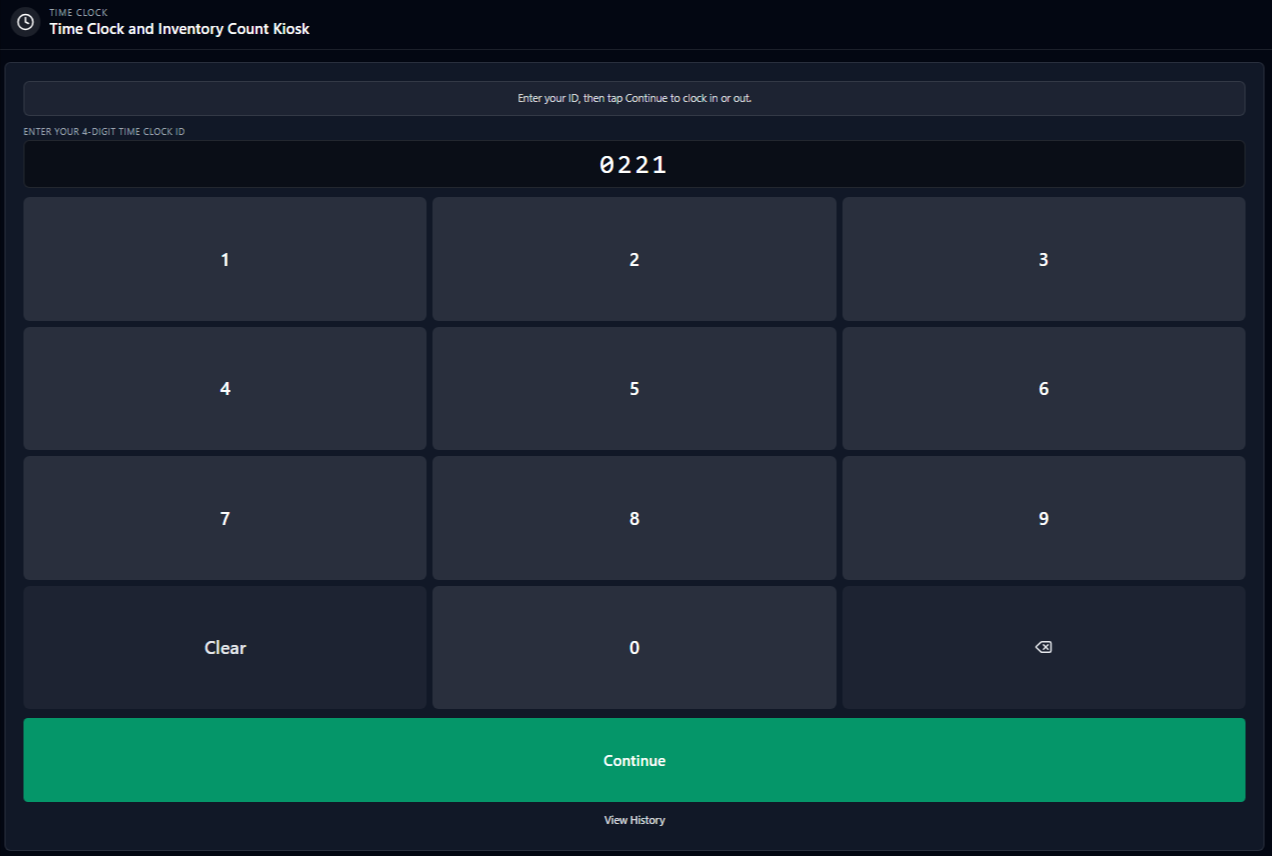
Employees clock in and out by entering a private 4-digit Time Clock ID on the kiosk keypad — no manager password required at the register.
Multi-Store Support
Multi-store organizations get a separate kiosk link per store, so employee punches stay scoped to the correct location automatically.
Module of MicroBiz Hub
Time Clock module built as part of MicroBiz Hub that lets your staff clock in and out from a store kiosk all without needing a separate time-tracking system.
Fast, Simple, Secure Employee Punch-In on PCs and Tablets
The Time Clock runs as a kiosk in a full-screen browser on any tablet or PC — no dedicated punch clock hardware to buy or maintain. Bookmark the kiosk link on a store tablet and it's ready to use. Employees clock in and out by entering a private 4-digit Time Clock ID on the kiosk keypad — no manager password required at the register. Each employee confirms their name and current status before punching, and the kiosk resets automatically for the next employee.
Employee Punch History and Self-Service Corrections
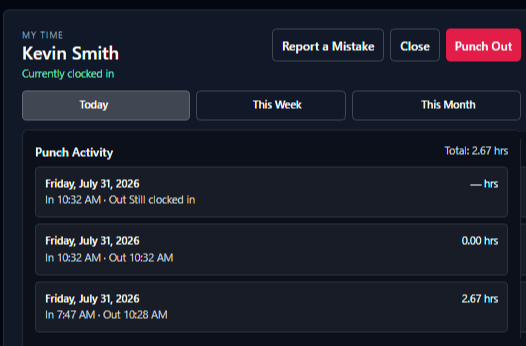
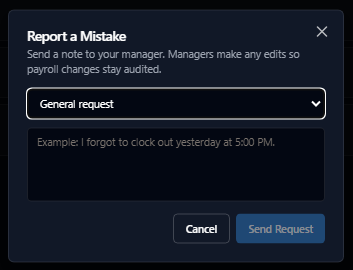
Employees can review their own punch history for today, this week, or this month directly from the kiosk. If a punch is wrong — a forgotten clock-out, for example — employees can submit a correction request with a description right from the kiosk, which routes to managers for review.
Manager Timesheet Review by Pay Period
Managers view total hours per employee by pay period — weekly, bi-weekly, semi-monthly, or monthly — and can drill into individual punches to fix a clock-in or clock-out, add a missing punch, or delete an incorrect one. Timesheets automatically flags punches that need attention, including missing clock-outs, zero-length punches, and unusually long shifts.Once hours are reviewed and correct, managers approve and lock the pay period so punches can't be added, edited, or deleted before payroll runs. The system records who approved the period and when, and a locked period can be unlocked if changes are needed later.
Hours Reports and Payroll Export
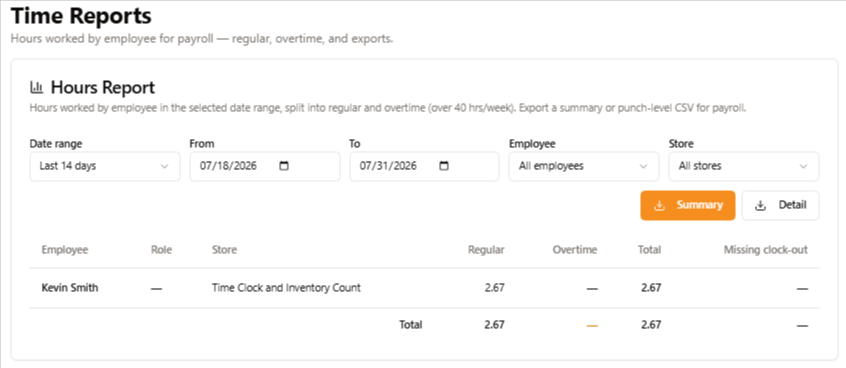
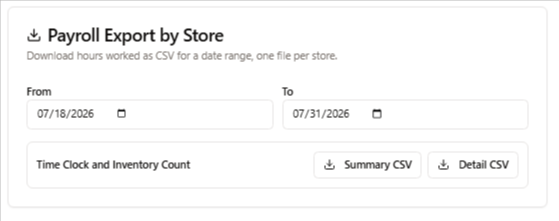
Run hours reports for any date range — including handy presets like last 7 days or this week — filtered by store and employee, showing total hours with a regular vs. overtime breakdown. When it's time to run payroll, export Summary CSV (totals per employee) or Detail CSV (individual punch lines) per store, ready to hand off to your payroll provider.
Role-Based Access for Managers
Assign Time Clock permissions under User Roles so only managers and admins can access Timesheets, approve pay periods, and change settings — while employees interact only with the kiosk using their Time Clock ID.
FAQs
Q. How do I get hours into my payroll system?
A. Under Settings → General, managers can download a Summary CSV (totals per employee) or a Detail CSV (individual punch lines) for a chosen date range, per store — ready to hand off to most payroll providers that accept CSV import.
Q. Does Time Clock support multiple store locations?
A. Yes. Multi-store organizations get a separate kiosk link per store so punches stay scoped to the correct location, and managers can filter Timesheets and Reports by store.
Q. What hardware do I need to run the Time Clock?
A. None beyond a tablet or PC. Time Clock runs as a full-screen kiosk in a standard web browser — there's no dedicated punch clock hardware to buy.
Q. Do employees need a MicroBiz login to clock in and out?
A. No. Employees punch in and out at the kiosk using a private 4-digit Time Clock ID — they don't need a login unless they're also a manager with Timesheet or Settings access.
Want to learn more?
Sign up for a free trial store. No credit card required.
Schedule a one-on-one online demo with a sales rep.
Submit a question or request using a web form.
Or call our sales department at 702 749-5353 option 2