
Ring Up Sales Quickly and Easily
Quickly scan items into the register using bar codes – or add items with one touch. Discount individual items, groups of items or the entire transaction. You can do price checks and check inventory. It's so intuitive that employees will be able to use the POS application with almost no training.
Ways our front register features can improve your business
Mobilize your retail business
Cloud-based technology enables mobile POS using laptops and iPads
View product images during sales process
Supports use of images at the register and in advanced search functions
Sell items not in stock via special orders
Automates the process of customer special orders from POS sale through fulfillment
Track sales and discounts by employee
Track sales, orders and discounts by employee. Attach salesperson to sale to help pay commissions
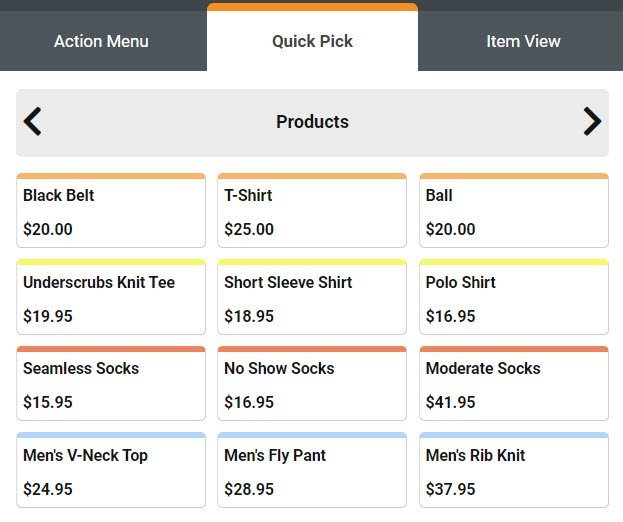
Quick Pick Keys
Add any items to a transaction with one touch – even non-inventory items such as service and delivery charges. The keys can be set to prompt for the price or the size or color of an item. You can set up an unlimited number of Quick Pick Panels, use colors to highlight keys and arrange them in any order that you choose.
Barcode Scanning/Mobile POS
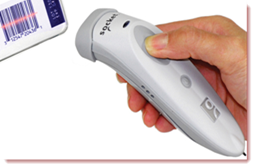
MicroBiz allows you to scan items using a bar code reader with PCs, Macs or iPads. As a mobile POS terminal, you can ring up sales anyplace and at anytime – trade shows, sidewalk sales, street fairs, sporting events, etc. Just log into your MicroBiz app using a laptop or iPad and you can start ringing up sales.
Wide Range of Register Functions
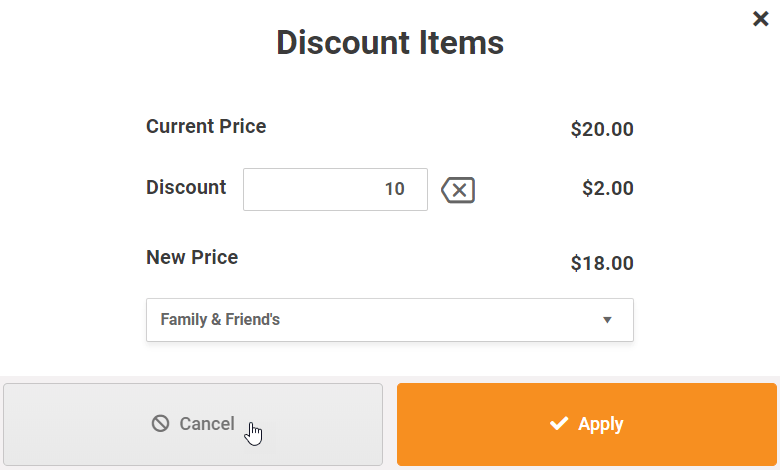
MicroBiz Cloud includes all commonly used register functions needed to operate your store, including:
| - Holds | - Transaction Returns |
| - Voids | - Transaction Discounts |
| - Transaction and Item Notes | - Assign Salesperson |
| - Item Returns | - Item Discounts |
| - Cash Paid In/Paid Out | - Register Close-outs |
Advanced Product Search
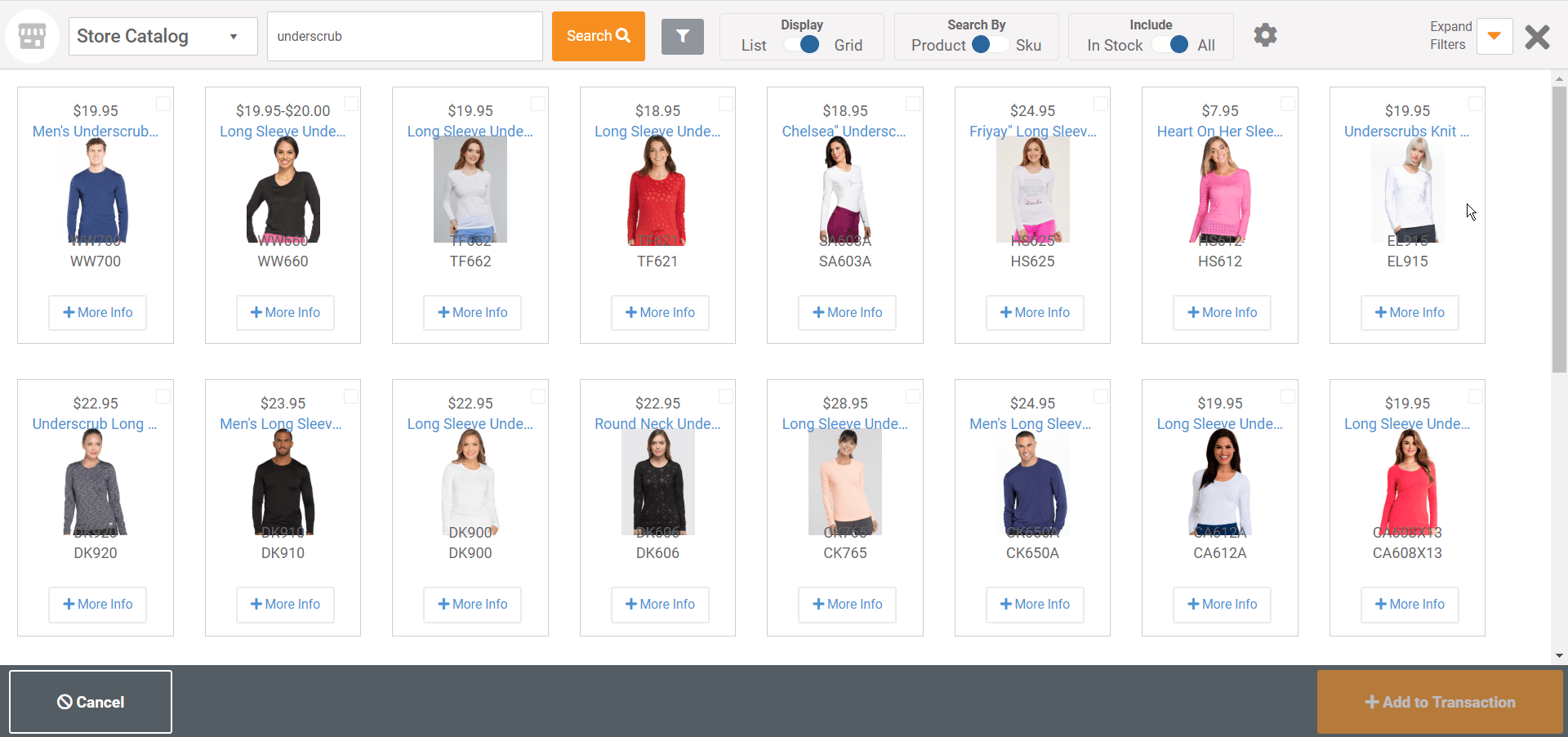
Use multiple ways to search for products and add them to a transaction. In addition to the top product search bar, MicroBiz Cloud features a flexible advance search feature. This feature allows you to search by item name, SKU, style, UPC or Alternate ID. Search results can be displayed in table format or as product tiles. Advanced filters allow you to view results by category, vendors, brand, color, size or other attribute.
Detailed Customer Profile
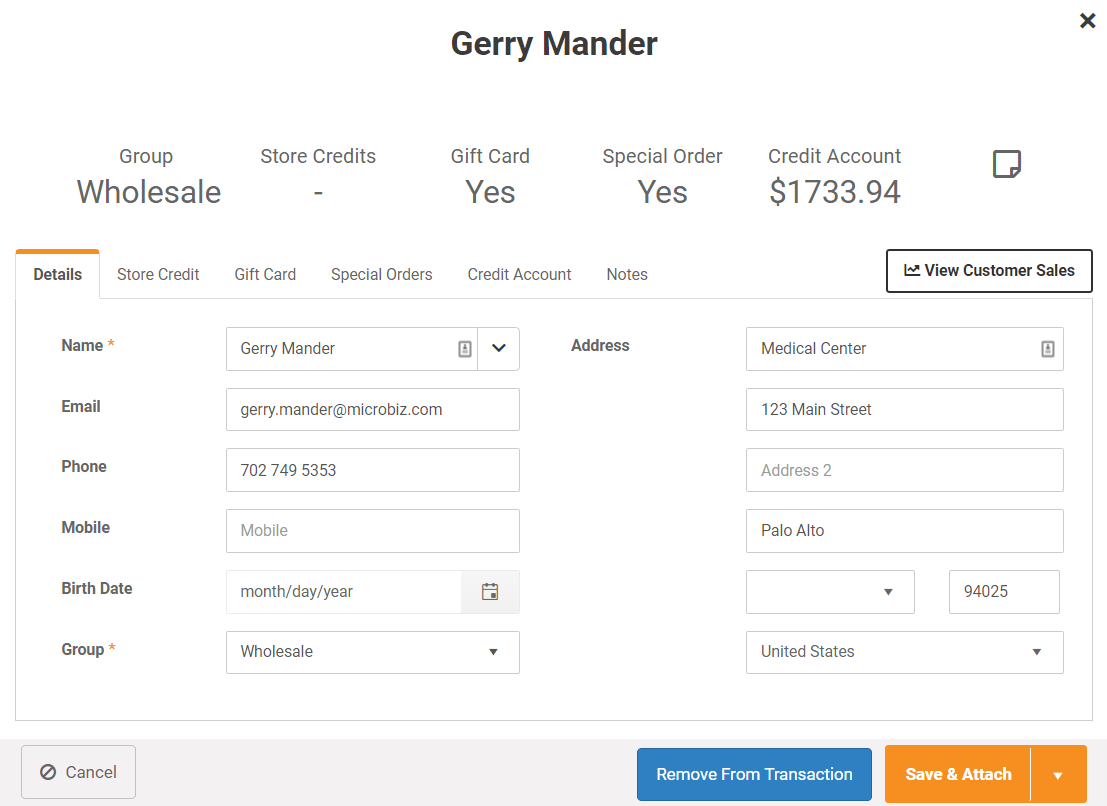
The customer profile in MicroBiz Cloud displays all relevant data about the customer attached to the transaction. You can view the customers pricing group, store credit and credit account balance and whether that customer has any store credits or gift cards outstanding.
Register Sales Dashboard
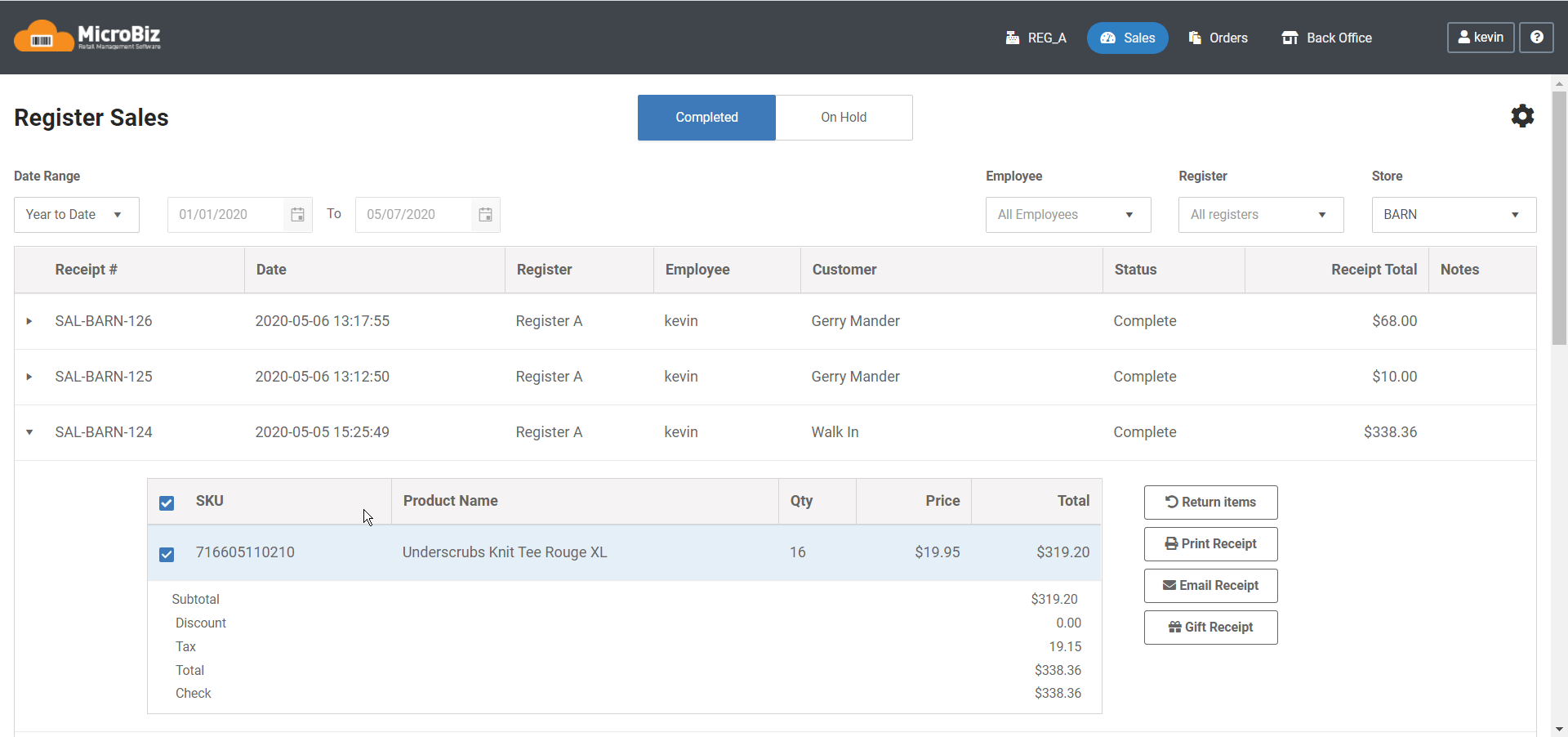
MicroBiz Cloud includes a register sale dashboard which displays transactions on hold and closed register transactions. This is useful to look-up transactions by date range, store, register or employee. In addition, this dashboard enables the following functions:
| - Void Transactions | - Reprint Receipts |
| - Return items | - Gift Receipts |
| - Email receipts |
Matrix Products
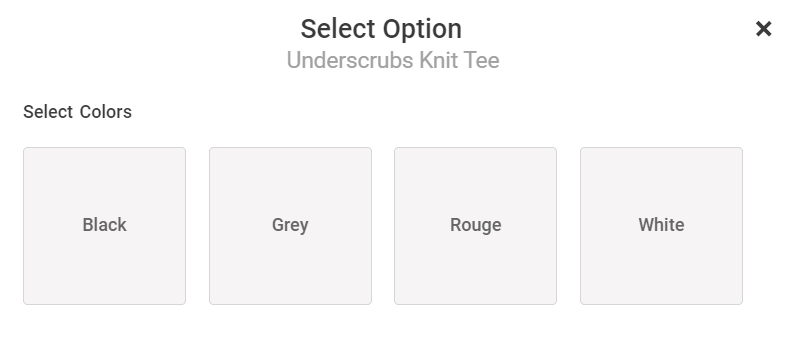
MicroBiz supports the sale of matrix products where the product attributes selected at the register. You can chose single factor, two factor (e.g. size/color) and three factor (e.g. size/color/other). Great for shoes and apparel and any product that is configured at the register.
Store Credits & Gift Cards
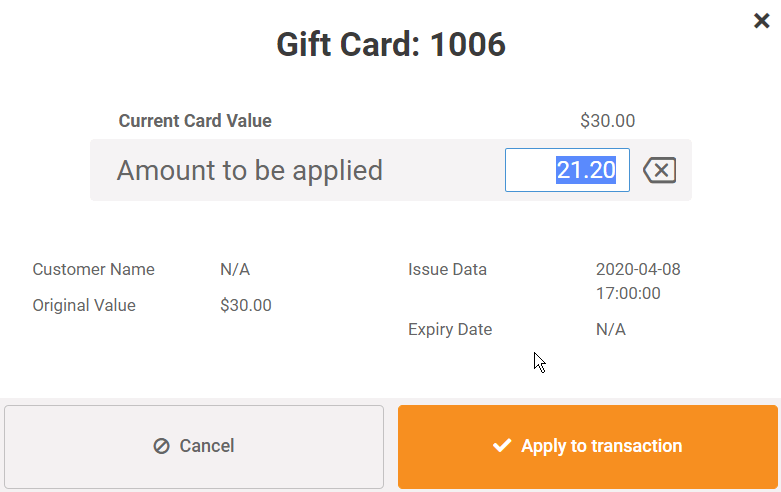
Issue, track and redeem gift cards in real-time across multiple store locations without using an outside payment processor. Use standard gift card stock purchased from any 3rd party vendor. Cards can be sold in fixed or variable amounts. Store credits can be also issued and tracked by customer and store.
Email or Printed Receipts
You have the option to print or email receipts to your customers. Receipts may be formatted with your store logo, transaction bar code, website address and a customer message. Emailing receipts is a clever way to collect email addresses from your customers for outbound marketing campaigns.
Register Close Outs and End of Day Reports
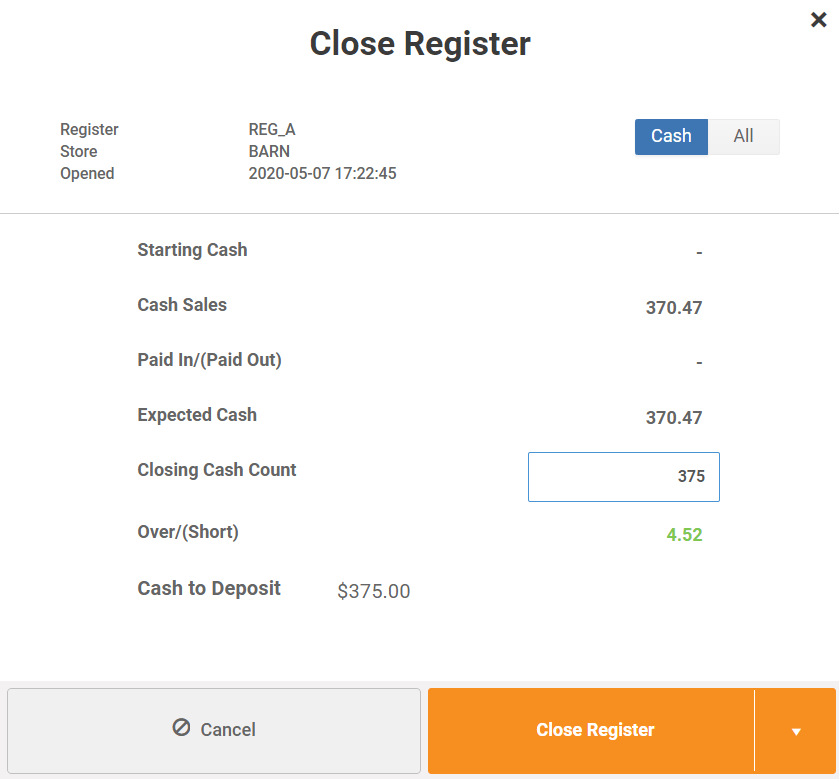
Registers can be batched at the end of the day to help reconcile sales to deposits. Close-out process allows you to keep a specified amount of cash in the till and includes a Z report showing a daily snapshot, salesperson activity, category totals, taxes collected and tender types.
Everything that you need to automate your retail business


FAQs
Q. Do I have to buy specialized hardware from MicroBiz?
A. No, we do not require you to purchase a proprietary hardware system in order to use MicroBiz Cloud. While we do sell POS accessories through our partner POS Portal, you can buy off the shelf hardware from wherever you choose.
.
Q. How do you bill for extra registers?
A. Your store subscription comes with one front register. Each additional register is billed separately. We do not charge for users accessing the back office functions (purchasing, receiving, customer management, product management, reporting).
Q. Can I run MicroBiz Cloud on my iPhone?
A. MicroBiz Cloud is a web-based application designed to run on a browser on PCs, Mac’s and tablets. The screens are not specifically designed or smart phone screens, so we do not recommend using a smart phone.